

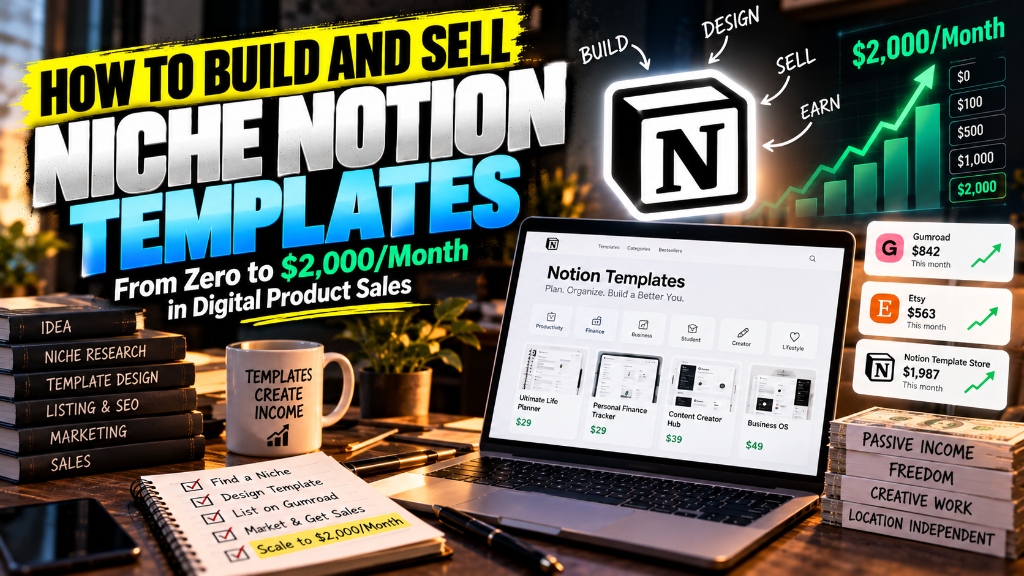
How to Build and Sell Niche Notion Templates: From Zero to $2,000/Month in Digital Product Sales
Master selling notion templates for passive income. Discover profitable B2B niches, database architecture, Gumroad funnels, and organic viral distribution.
Educational Resource: This guide does not constitute financial or legal counsel.
Direct Answer: Selling Notion templates for passive income is a scalable digital asset business model where specialized workflow systems, databases, and operational dashboards are sold repeatedly with near 100% profit margins. By targeting commercial B2B niches (such as client portals or real estate trackers) and automating delivery through Gumroad or Lemon Squeezy, creators build sustainable recurring cash flow without inventory.
The modern internet economy has made physical product e-commerce increasingly brutal for solo creators.
Between overseas manufacturing delays, unpredictable shipping tariffs, inventory storage fees, and paid ad customer acquisition costs that devour 60% of top-line revenue, dropshipping and traditional physical product stores leave founders with paper-thin margins and massive operational headaches.
Digital micro-assets provide an entirely different economic reality.
Among digital products, niche Notion templates represent one of the most accessible entry points for solopreneurs. You build the software system once inside Notion’s flexible database canvas, package the public duplicate link, and sell it an infinite number of times for pure profit.
However, the days of throwing together a generic “pastel aesthetic life planner” and making $10,000 on TikTok are over. Modern buyers demand functional utility that solves acute, high-value professional problems.
Here is the exact playbook for engineering commercial-grade Notion templates, building automated checkout funnels, and scaling to $2,000 per month in passive digital sales.
Why Digital Templates Outperform Traditional E-Commerce (Zero Inventory, Near 100% Margins)
Digital Notion templates outperform physical e-commerce because they eliminate manufacturing lead times, carry zero inventory holding costs, and boast near 100% gross profit margins.
When you sell an item like a leather-bound notebook or ceramic mug, every single unit sold requires raw material purchasing, warehousing, packaging, and postage. If a shipment gets lost or damaged in transit, you absorb the financial loss.
With a digital Notion template, your cost of goods sold (COGS) is effectively zero:
- Infinite Digital Replication: Whether you sell two copies or two thousand copies in a single day, fulfilling an order costs nothing. The merchant platform simply delivers an automated email containing your Notion duplication link.
- Immediate Cash Flow Settlement: Unlike client services that require waiting 30 days for corporate invoice checks to clear, digital product marketplaces process credit card payments instantly and deposit payouts directly into your bank account.
- Zero Software Maintenance: Because Notion handles server uptime, database hosting, and mobile app maintenance, you never need to manage cloud infrastructure, patch security bugs, or update software libraries.
Finding High-Converting Niches: Solving Professional Pain Points vs. Aesthetic Planners
High-converting Notion templates command premium price points by solving specialized, commercial workflow bottlenecks for businesses rather than selling lifestyle aesthetics to casual consumers.
Casual productivity enthusiasts are price-sensitive: they hesitate to spend more than $5 to $10 on a personal daily habit tracker or reading list. Businesses, freelancers, and high-income specialists, by contrast, happily spend $49, $79, or $149 on a Notion system that organizes client deliverables, tracks billable hours, or ensures compliance.
To find profitable niches in 2026, target commercial operators who view your template as an investment that saves time or generates revenue:
- Freelance & Agency Client Portals: A complete client-facing hub where agencies manage revisions, onboarding questionnaires, invoice statuses, and shared Figma assets.
- Short-Term Rental (Airbnb) Operations Hub: A multi-property management database tracking cleaner schedules, automated guest check-in messaging templates, maintenance logs, and seasonal revenue.
- B2B Content Marketing & Editorial Engines: A comprehensive multi-channel publishing calendar featuring ideation pipelines, SEO keyword databases, automated social snippets, and sponsor tracking.
- Angel Investor & Syndicate Deal Flow Trackers: A structured CRM for early-stage investors to log pitch decks, founder meetings, valuation terms, and diligence documentation.
Template Architecture: User Experience Design and Database Relations for Beginners
Building a commercial-grade Notion template requires linking relational databases, using rollups to calculate totals, and designing intuitive dashboard views.
A disorganized page filled with hundreds of unlinked text blocks feels amateur and overwhelms buyers. A professional template relies on a robust relational architecture:
1. Master Databases vs. Linked Views
Never clutter your main dashboard with raw, full-width database tables. Instead, store all primary database tables (such as DB_Clients, DB_Projects, and DB_Invoices) on an archived, backend backend page called System_Architecture. On the user-facing home dashboard, insert clean Linked Views filtered by status (for example: “Active Projects Only” or “Outstanding Invoices”).
2. Implement Database Relations and Rollups
Connect related workflows together so users enter data only once:
- Link your
Tasksdatabase to yourProjectsdatabase. - Use a Rollup property to calculate the percentage of completed tasks per project automatically, displaying an interactive visual progress bar on the project card.
- Link your
Invoicesdatabase to yourClientsdatabase so total lifetime revenue per client updates in real time.
3. Build a Frictionless Onboarding Guide
The number one reason digital product buyers leave negative reviews is feeling lost after clicking the duplicate button. Inside your template, place a dedicated Start Here: 5-Minute Setup Guide section featuring:
- A concise Loom video walkthrough showing how to navigate the views.
- Sample dummy data that buyers can experiment with before deleting.
- Clear instructions on customizing default settings and tags.
Setting Up Your Sales Funnel: Gumroad, Lemon Squeezy, and Automated Delivery
Setting up an automated digital sales funnel requires hosting your product on an established merchant of record platform that handles international sales tax compliance.
As a digital creator selling across borders, calculating and remitting Value Added Tax (VAT) in the European Union, Goods and Services Tax (GST) in Australia, and state sales taxes across the United States is an administrative nightmare.
Using a Merchant of Record (MoR) like Gumroad or Lemon Squeezy completely eliminates this legal burden because the platform acts as the reseller, collecting and remitting all local digital taxes automatically.
To construct your automated checkout pipeline:
- Publish Your Notion Template: Click the
Sharebutton in the top right corner of your completed Notion workspace. ToggleShare to Web, disableAllow editing, and toggleAllow duplicate as templateto active. Copy the public link. - Create the Product Listing: On Gumroad or Lemon Squeezy, set your product title, write an outcome-driven product description, and upload three to five 16:9 mockup graphics showcasing your dashboard views.
- Configure Instant Delivery: In the fulfillment settings, enter your Notion public link. When a customer completes checkout, the platform automatically redirects them to the link and emails them a receipt containing duplicate instructions.
- Connect Stripe / PayPal: Connect your payout method for automated weekly payouts.
Comparison Table: Gumroad vs. Lemon Squeezy vs. Etsy for Notion Templates
| E-Commerce Platform | Transaction Fees | Merchant of Record (Handles Tax) | Native Audience Discovery | Best Suited For |
|---|---|---|---|---|
| Gumroad | Flat 10% + standard payment processing | Yes (Full global VAT/tax compliance) | Moderate (Discover tab) | Beginners wanting fastest setup |
| Lemon Squeezy | 5% + $0.50 per transaction | Yes (Enterprise tax compliance) | Low (Creator-driven traffic) | Professional software & SaaS creators |
| Etsy | $0.20 listing fee + 6.5% transaction fee | Yes (Handles state/EU taxes) | High (Massive organic search engine) | Lifestyle, student, and aesthetic planners |
Organic Distribution Playbook: Short-Form Video Walkthroughs and Free “Lite” Lead Magnets
Generating consistent organic sales without paid advertising requires distributing short-form screen recordings and offering free “lite” versions to build an email list.
Relying on marketplace search algorithms alone will not generate $2,000 per month. You must drive intentional organic traffic through two proven distribution channels:
Channel 1: The “Lite” Lead Magnet Funnel
Do not attempt to sell cold visitors a $49 premium template immediately:
- Strip out 80% of your complex system to create a free “Lite” version (for example: a simple Freelance Invoice Calculator).
- List the free version on Gumroad for
$0+(Pay What You Want). - Offer the free template on social platforms, Reddit, and resource directories.
- When hundreds of users download the free template, your Gumroad email list expands automatically.
- Send an automated three-part email nurture sequence introducing your comprehensive “Pro” version at a 20% launch discount, capturing consistent upsell conversions.
Channel 2: Aesthetic Screen Capture Demos on TikTok & Pinterest
Notion templates are intensely visual products. Create 15-second screen capture videos set to trending audio showing:
- A chaotic, messy desktop transforming into your sleek, organized dashboard.
- A quick click-through demonstrating a automated rollup formula or database relation.
- On Pinterest, pin high-resolution vertical graphics (1000 x 1500 px) showing your dashboard layouts. Pinterest operates as an image search engine, driving passive organic clicks to your store for years after publication.
Turning Single-Product Buyers into Recurring Bundle Subscribers
Scaling past $2,000 per month requires bundling individual templates into high-ticket suites and offering recurring membership hubs.
If your average product price is $25, reaching $2,000 per month requires making 80 sales every 30 days. You can cut that volume requirement in half by increasing your Average Order Value (AOV):
- The Complete Agency Operating System Bundle: Take three individual templates (Client Portal for $39, Social Media Planner for $29, and Bookkeeping Tracker for $29) and bundle them into an “All-in-One Business Operating System” priced at $79. Bundles provide an irresistible perceived discount while doubling your basket size.
- The Creator Vault Subscription: Introduce a private subscription community (using Substack or Circle) where members pay $15 to $20 per month to receive every new Notion template, workflow automation script, and SOP you release each month. With just 100 dedicated members, you establish a predictable $1,500 to $2,000 monthly recurring revenue baseline.
Frequently Asked Questions
Can anyone duplicate and resell my Notion template?
While someone could theoretically duplicate your template, your intellectual property lies in your ongoing branding, tutorials, community trust, and product updates. Professional buyers purchase from recognized creators to receive customer support, video documentation, and future database enhancements.
Do I need a paid Notion subscription to sell templates?
No, you can design, build, and share public Notion templates using a completely free personal Notion account. A paid Notion plan is only necessary if your template utilizes advanced team workspace features or exceeds file upload thresholds.
How much should I charge for a Notion template?
Simple personal planners should be priced between $9 and $19. Comprehensive professional systems (such as agency portals, real estate dashboards, or CRM engines) should be priced between $39 and $99, reflecting the clear business ROI they provide.
How long does it take to build a profitable Notion template?
A functional, well-designed professional template typically requires 15 to 30 hours of focused design, testing, and documentation. Once published and validated, the template requires minimal maintenance, allowing you to focus entirely on marketing.
Which platform is best for selling Notion templates in 2026?
Gumroad remains the fastest platform for beginners due to its zero upfront cost and automated tax compliance. For advanced creators scaling past $5,000 per month, Lemon Squeezy offers lower transaction fees and superior subscription management tools.
Final Thoughts: Building Your Portfolio of Digital Real Estate
Digital leverage allows a solo creator to build a product once and capture economic returns indefinitely.
Selling niche Notion templates is not a get-rich-quick scheme; it is a legitimate digital publishing business that rewards clean design, deep user empathy, and practical utility. By moving past generic planners to solve acute operational challenges for businesses, you transform your Notion skills into a high-margin digital asset that generates income 24 hours a day.
Select your target professional niche today, build your master database architecture, and launch your first digital product on Gumroad this weekend.
Download: The Solo Founder's High-Margin Scaling Playbook
A battle-tested blueprint on building asymmetric leverage, packaging high-ticket B2B services, and converting labor into scalable digital products.
- Pricing power & contract negotiation scripts
- Micro-SaaS & digital product launch checklist
This article and its associated calculators are for educational and informational purposes only and do not constitute financial, investment, legal, tax, or medical advice. We may earn an affiliate commission on third-party links at zero cost to you. Always consult a licensed professional before making major financial, health, or investment decisions. Read our full Legal & Financial Disclaimer.
Vikram Nair
Verified AuthorVikram covers small business ideas, digital ventures, and practical company growth. Having worked alongside early-stage founders, he writes straightforward advice on building profitable businesses.
Was this essay valuable to you?
Help us refine our editorial focus and research priorities.
Reader Discussion (2)
Extremely well-articulated analysis on capital compounding. The breakdown on equity allocation vs active income is spot on.
The distinction between looking rich and building real moats is something more founders need to study deeply.
Explore Eternity Empire
Search empirical insights, explore our four wisdom categories, and discover curated strategic essays.
Search Insights
Recent Essays
The Backyard Cash Flow Engine: How to House Hack with an ADU in 2026
11 min read • Oct 20How to Become a Fractional COO: Landing Your First $5,000/Month Retainer Client
12 min read • Oct 20The Zero-Bounce Outbound Engine: How to Set Up Multi-Domain Cold Email with Instantly and Clay
12 min read • Oct 20Featured Guides
Further Wisdom & Insights
Explore All Articles
Best Digital Products to Sell Online in 2026: Ideas, Tools and Startup Costs
Discover the best digital products to sell online in 2026. Compare startup costs, profit margins, creation tools, and platform fees for digital downloads.

Best Side Hustles to Make Money Online in 2026: 15 Realistic Ideas
Discover the 15 best side hustles to make money online in 2026. Compare startup costs, required skills, earning potential, and time to first income.

Niche Newsletter Monetization Strategy: Build a $3k/Month Media Asset
Master niche newsletter monetization. Learn how 3,000 engaged B2B subscribers generate $3,000 monthly through native sponsorships, curation, and job boards.