

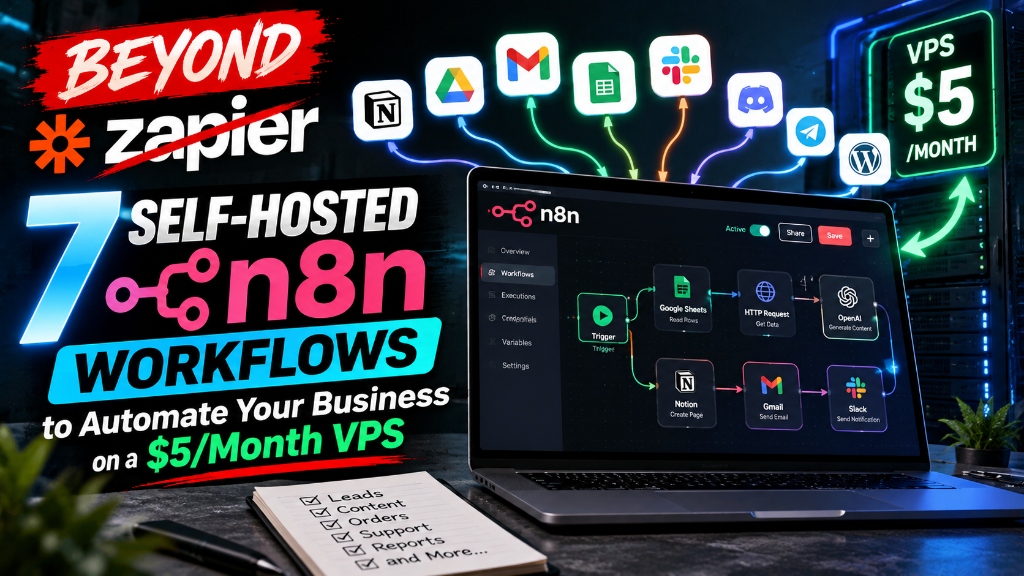
Beyond Zapier: 7 Self-Hosted n8n Workflows to Automate Your Business on a $5 VPS
Cut hundreds in SaaS subscription fees by migrating to self-hosted n8n. Discover 7 automated workflows for lead qualification, onboarding, and CRM sync.
Educational Resource: This guide does not constitute financial or legal counsel.
Direct Answer: Running self-hosted n8n workflows for small business automation on a $5 per month VPS replaces costly monthly Zapier and Make subscriptions with unlimited task execution. By deploying n8n via Docker, small teams gain complete data ownership, native AI agent nodes, and zero per-operation billing for lead triage, customer onboarding, and invoicing.
Relying on proprietary integration platforms like Zapier or Make introduces an artificial tax on business growth.
When your marketing funnels succeed, your reward should not be a surprise $350 invoice because your webhook triggers crossed an arbitrary task threshold. For bootstrapped operators, marketing agencies, and software freelancers, task-based pricing models punish operational efficiency. Every customer inquiry, lead routing check, or Stripe webhook burns through paid execution credits.
The alternative is self-hosting n8n, a source-available workflow automation engine that gives you full control over your business logic. When deployed on a modest cloud server, n8n handles hundreds of thousands of monthly webhook calls without charging a single extra penny.
Here is the exact blueprint for escaping proprietary SaaS fees, setting up n8n on a lightweight VPS, and deploying seven production-ready workflows built for immediate operational leverage.
Why Task-Based SaaS Pricing Destroys Small Business Margins
Task-based SaaS pricing directly penalizes business volume by charging per action instead of charging for raw computing resources.
On platforms like Zapier, a simple multi-step workflow (for instance: catch webhook, filter spam, lookup customer in CRM, post Slack alert, create invoice) consumes five tasks per execution. If your business processes 10,000 inbound events monthly, that single routine burns 50,000 tasks. At that tier, Zapier commands roughly $300 to $400 every single month.
When you self-host n8n on a dedicated Virtual Private Server (VPS) from providers like Hetzner or DigitalOcean, your financial equation flips entirely:
- Compute Cost Stability: A basic 2-vCPU, 4GB RAM cloud droplet costs between $5 and $12 per month, regardless of whether you process 500 tasks or 500,000 tasks.
- Data Privacy and Sovereignty: Proprietary platforms inspect, log, and store your customers’ raw payloads on shared multi-tenant infrastructure. Self-hosting keeps client emails, payment details, and contract files inside your private, encrypted server.
- Native AI and LLM Orchestration: n8n features built-in LangChain nodes, allowing you to connect OpenAI, Anthropic, or local Ollama models directly into data pipelines without paying third-party wrapper markups.
Setting Up n8n on a Cloud Server in Under 15 Minutes (Docker Walkthrough)
Deploying a production-grade n8n instance requires only a cloud server running Ubuntu, Docker Compose, and a reverse proxy with automated SSL certificates.
Follow this battle-tested setup using Docker and Caddy Server, which provisions free Let’s Encrypt SSL certificates automatically.
1. Provision Your Server and Point DNS
Spin up a standard Ubuntu 24.04 LTS instance on DigitalOcean, Linode, or Hetzner ($5 to $7 monthly plan is plenty to start). Point an A record from your domain (such as n8n.yourcompany.com) to your server’s public IP address.
2. Connect via SSH and Install Docker
Open your terminal and run the standard Docker installation script:
# Update repositories and install curl
sudo apt update && sudo apt upgrade -y
sudo apt install -y curl ufw

# Install Docker Engine
curl -fsSL https://get.docker.com -o get-docker.sh
sudo sh get-docker.sh

# Enable UFW firewall with SSH, HTTP, and HTTPS ports
sudo ufw allow 22/tcp
sudo ufw allow 80/tcp
sudo ufw allow 443/tcp
sudo ufw enable
3. Create the Production Docker Compose Configuration
Create a dedicated project directory and build your docker-compose.yml file:
mkdir -p ~/n8n-docker && cd ~/n8n-docker
nano docker-compose.yml
Paste the following configuration into your file:
version: '3.8'

volumes:
  n8n_storage:
  caddy_data:

services:
  caddy:
    image: caddy:latest
    restart: unless-stopped
    ports:
      - "80:80"
      - "443:443"
    volumes:
      - caddy_data:/data
      - ./Caddyfile:/etc/caddy/Caddyfile

  n8n:
    image: docker.n8n.io/n8nio/n8n:latest
    restart: unless-stopped
    environment:
      - N8N_HOST=n8n.yourcompany.com
      - N8N_PORT=5678
      - N8N_PROTOCOL=https
      - NODE_ENV=production
      - WEBHOOK_URL=https://n8n.yourcompany.com/
      - GENERIC_TIMEZONE=UTC
    volumes:
      - n8n_storage:/home/node/.n8n
4. Create the Caddyfile and Launch
Create the adjacent Caddyfile for instant automatic HTTPS routing:
n8n.yourcompany.com {
    reverse_proxy n8n:5678 {
        flush_interval -1
    }
}
Start the containers in detached mode:
sudo docker compose up -dNavigate to https://n8n.yourcompany.com in your web browser. You will see the administrative account creation screen. Your private automation engine is live.
7 Production-Ready n8n Workflows for Small Business Automation
These seven n8n workflows for small business automation solve real operational bottlenecks, eliminating manual data entry across leads, clients, and accounting.
Workflow 1: Instant AI Lead Qualification and CRM Routing
Inbound leads from Webflow, Typeform, or Tally frequently submit incomplete information or spam submissions.
This workflow catches the form webhook, pings Clearbit or Apollo via API to enrich company size, sends the lead text to an Anthropic Claude node with an ICP (Ideal Customer Profile) scoring prompt, and decides:
- If Score >= 80: Append to HubSpot or Airtable, notify sales on Slack with an
@urgenttag, and generate a Calendly VIP booking link. - If Score is under 80: Add to a nurture drip campaign in Brevo or MailerLite with zero sales rep interruption.
// Core Logic: Webhook -> Enrichment Node -> AI LLM Evaluation -> Conditional Router (IF Node) -> Multi-Channel ActionWorkflow 2: Automated Client Onboarding and Contract Generation
Manually typing client names into Google Docs templates and emailing PDF contracts wastes hours of onboarding momentum.
When a sales deal marks as “Closed-Won” in your CRM:
- n8n triggers via webhook.
- Formulates a pre-filled DocuSign or PandaDoc envelope using client metadata.
- Provisions a dedicated client project space in ClickUp, Asana, or Notion with standardized milestone cards.
- Generates a private Google Drive folder shared with the client’s email domain.
- Sends an onboarding welcome email containing their login portal access.
Workflow 3: Multi-Channel Customer Support Triage with Local LLMs
Customer support tickets arriving through email and website forms often require repetitive initial categorization.
This workflow checks incoming support emails every five minutes:
- Uses a local Ollama instance (or lightweight Claude Haiku node) to evaluate customer sentiment and categorize the ticket into
Bug,Billing,Feature Request, orHow-To. - Drafts an initial empathetic response referencing your public knowledge base articles.
- Pushes draft responses into Zendesk or Help Scout as an unsubmitted internal note, allowing human agents to review and send with a single click.
Workflow 4: Stripe Invoice Reminders and WhatsApp Payment Alerts
Chasing overdue accounts receivable consumes valuable emotional energy and disrupts regular client relationships.
This workflow runs on a daily cron schedule at 09:00 UTC:
- Queries the Stripe API for past-due unpaid invoices older than three days.
- Cross-references the customer’s phone number and preferred communication channel.
- Dispatches a polite, automated WhatsApp message or SMS via Twilio with a direct, one-click payment URL.
- If the invoice remains unpaid after seven days, it escalates an alert directly to the accounting Slack channel.
Workflow 5: Social Content Recycling Across LinkedIn and X
Repurposing long-form essays into high-engagement social posts usually demands continuous manual copy-pasting.
Whenever a new blog post publishes on your website RSS feed:
- n8n extracts the main title, URL, and markdown body.
- Passes the text to an AI node instructed to extract three punchy takeaways, a contrarian perspective, and an engagement question.
- Formats two distinct posts: an executive summary for LinkedIn and a five-part thread for X (Twitter).
- Queues the content into Buffer or posts directly via official developer API keys without intermediary subscription tools.
Workflow 6: Automated Weekly Financial Reporting to Slack
Founders often lose track of key metrics because logging into five different dashboards feels cumbersome on busy days.
Every Monday morning at 08:00 AM:
- n8n pulls weekly gross volume and churn rates from Stripe.
- Gathers ad spend data from Google Ads and Meta Graph APIs.
- Calculates blended Customer Acquisition Cost (CAC) and net new recurring revenue.
- Compiles the metrics into a clean, markdown-formatted executive digest and drops it into a private
#leadership-kpisSlack channel.
Workflow 7: Competitor Website and Pricing Change Monitor
Staying informed about market competitor pricing shifts does not require expensive web scraping software subscriptions.
This scheduled n8n workflow executes once every 48 hours:
- Fetches target competitor pricing URLs using an HTTP request node.
- Uses n8n’s HTML extract node to grab pricing blocks.
- Hashes and compares the content against previous database states stored in SQLite or Postgres.
- When an alteration is detected, it highlights the exact price delta and sends a side-by-side screenshot alert to your team.
Comparison Table: Zapier vs. Make vs. Self-Hosted n8n
| Evaluation Feature | Zapier (Team Plan) | Make (Pro Plan) | Self-Hosted n8n (VPS) |
|---|---|---|---|
| Base Monthly Cost | $69 to $399+ / month | $16 to $99+ / month | $5 to $12 / month (VPS only) |
| Execution / Task Limits | 2,000 to 50,000 tasks/mo | 10,000 to 40,000 ops/mo | Unlimited executions |
| Over-Quota Penalty Fees | Steep per-task charge | Tiered pack charges | $0 (Zero penalty fees) |
| Data Privacy & Control | Cloud multi-tenant | Cloud multi-tenant | Self-hosted single tenant |
| Native AI Agent Nodes | Limited basic add-ons | Basic webhook calls | Advanced LangChain + local LLM support |
| Custom Code & Packages | Restricted Python/JS | Custom functions only | Full npm and Python library imports |
| Setup Complexity | Zero code required | Visual drag-and-drop | Docker setup (15 minutes) |
Error Handling, Webhooks, and Security Best Practices for Non-Engineers
Maintaining high reliability on a self-hosted automation server requires setting up proper error trigger workflows and securing your webhook endpoints.
Running self-hosted software means you take responsibility for your uptime. Fortunately, n8n provides built-in mechanisms to ensure zero dropped leads:
1. Build a Centralized Error-Trigger Workflow
Never let an automation fail silently. In n8n, create an independent workflow with the Error Trigger node. Whenever any workflow in your workspace crashes or encounters an API timeout, n8n routes the failed execution data, workflow name, and stack trace directly to this error handler, which notifies your engineering Slack or Telegram channel instantly.
2. Implement Webhook Signature Verification
Public webhook URLs exposed to the internet can be targeted by bad actors trying to flood your system. For mission-critical workflows handling payments or customer records (such as Stripe or Shopify webhooks), always configure HMAC signature verification in the Webhook node settings to guarantee that incoming payloads genuinely originate from your trusted providers.
3. Schedule Daily Automated Database Backups
All n8n workflow structures and credentials reside within the SQLite or PostgreSQL database file in your Docker volume. Configure a simple nighttime bash cron job to snapshot ~/.n8n and upload an encrypted tarball to an inexpensive Amazon S3 or Cloudflare R2 bucket. If your cloud droplet ever fails, you can restore your complete automation fleet in under five minutes.
Frequently Asked Questions
What happens if my self-hosted n8n server runs out of memory?
When your server memory runs low, n8n can crash during heavy executions involving large file uploads. You can prevent memory crashes by adding a 2GB swap file to your Ubuntu VPS and setting n8n’s execution mode to regular or scaling workers via Redis queue mode as your workload expands.
Can I run n8n on a free cloud tier?
You can run n8n on free cloud tiers like Oracle Cloud Free Tier or a basic Google Cloud e2-micro instance, but free tiers often impose severe CPU throttling that causes webhooks to drop under sudden traffic spikes. A reliable $5 to $6 VPS from Hetzner or DigitalOcean provides dedicated stability for commercial use.
Is n8n completely free for commercial business use?
Yes, n8n is free for commercial use under the n8n Fair-Code License (Sustainable Use License) when automating your internal business operations. You only need an enterprise commercial agreement if you resell n8n as a white-labeled software service to external end-users.
How does n8n handle third-party app credential changes?
n8n stores all authentication tokens, API keys, and OAuth2 credentials in an encrypted internal database using a custom encryption key. When a third-party token expires, updating the credential in n8n’s centralized Credentials manager automatically refreshes every workflow connected to that service.
Can non-technical team members build workflows in n8n?
Yes, non-technical team members can easily assemble workflows using n8n’s visual node editor, which closely mirrors Make and Zapier. Pre-building modular sub-workflows allows junior staff to connect trigger events to actions without touching raw code or JSON files.
Final Thoughts: Taking Ownership of Your Automation Stack
Scaling your company does not mean surrendering your profit margins to task-counting SaaS vendors.
By investing fifteen minutes to deploy n8n on an inexpensive cloud server, you permanently remove task limits from your business operations. Your team can run data-heavy AI enrichment, comprehensive lead qualification, and continuous sync pipelines without looking over their shoulder at an impending software invoice upgrade.
Deploy your Docker droplet this afternoon, import Workflow 1 for instant lead routing, and build an automation stack that grows alongside your revenue.
Download: The Solo Founder's High-Margin Scaling Playbook
A battle-tested blueprint on building asymmetric leverage, packaging high-ticket B2B services, and converting labor into scalable digital products.
- Pricing power & contract negotiation scripts
- Micro-SaaS & digital product launch checklist
This article and its associated calculators are for educational and informational purposes only and do not constitute financial, investment, legal, tax, or medical advice. We may earn an affiliate commission on third-party links at zero cost to you. Always consult a licensed professional before making major financial, health, or investment decisions. Read our full Legal & Financial Disclaimer.
Vikram Nair
Verified AuthorVikram covers small business ideas, digital ventures, and practical company growth. Having worked alongside early-stage founders, he writes straightforward advice on building profitable businesses.
Was this essay valuable to you?
Help us refine our editorial focus and research priorities.
Reader Discussion (2)
Extremely well-articulated analysis on capital compounding. The breakdown on equity allocation vs active income is spot on.
The distinction between looking rich and building real moats is something more founders need to study deeply.
Explore Eternity Empire
Search empirical insights, explore our four wisdom categories, and discover curated strategic essays.
Search Insights
Recent Essays
The Backyard Cash Flow Engine: How to House Hack with an ADU in 2026
11 min read • Oct 20How to Become a Fractional COO: Landing Your First $5,000/Month Retainer Client
12 min read • Oct 20The Zero-Bounce Outbound Engine: How to Set Up Multi-Domain Cold Email with Instantly and Clay
12 min read • Oct 20Featured Guides
Further Wisdom & Insights
Explore All Articles
Automated Bookkeeping for Solopreneurs: Build a Zero-Touch Stack
Build an automated bookkeeping stack for your solo business. Connect Stripe, bank feeds, OCR receipts, and ledgers to save 10+ hours monthly.

When to Elect S-Corp Status for Your LLC: The $80,000 Profit Rule and Reasonable Salary Math
Discover when to elect S-Corp for single member LLC status. Learn the $80,000 net profit threshold, reasonable salary rules, and Form 2553 filing deadlines.
The Operating System for Delegating Key Business Tasks
How entrepreneurs delegate operational tasks effectively using outcome-based accountability, SOP documentation, and async workflows.